
Schedules:
-
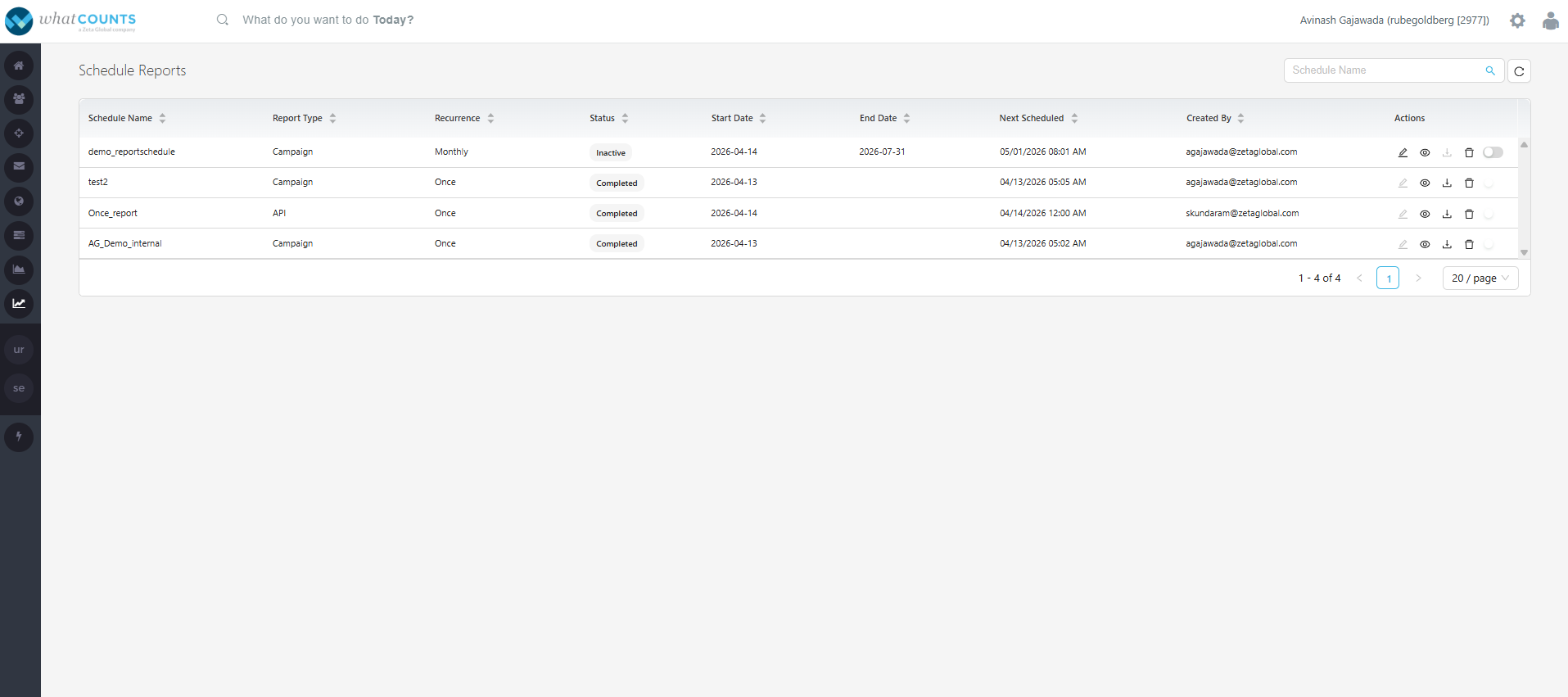
Click on “Schedules” that redirects to the following page where you can view the list of report schedules created, its status, and take any actions such as edit, preview the criteria, deactivate, and export recent generated report.
-
Actions:
-
Edit:
-
You can edit and update the schedule criteria and/or filter criteria.
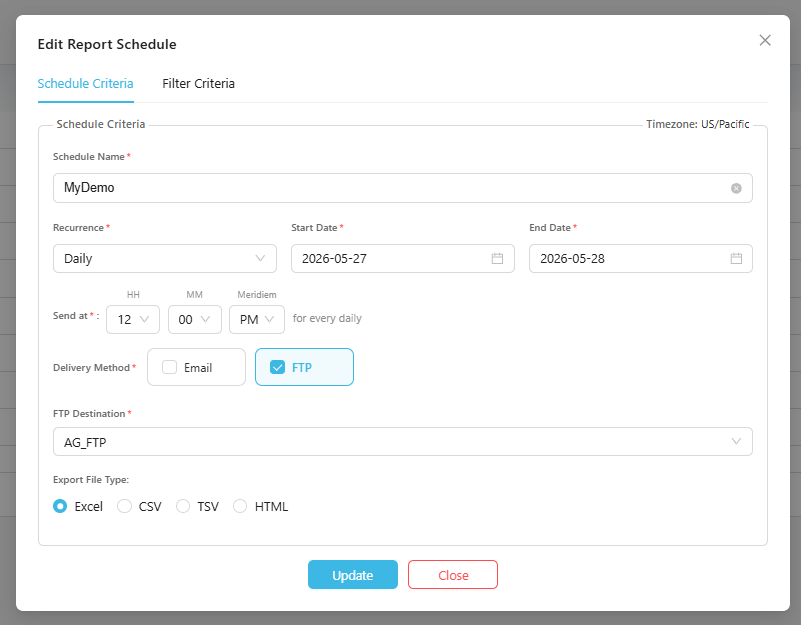
Edit and Update schedule/filter criteria
-
-
Preview:
-
You can preview the schedule and filter criteria.
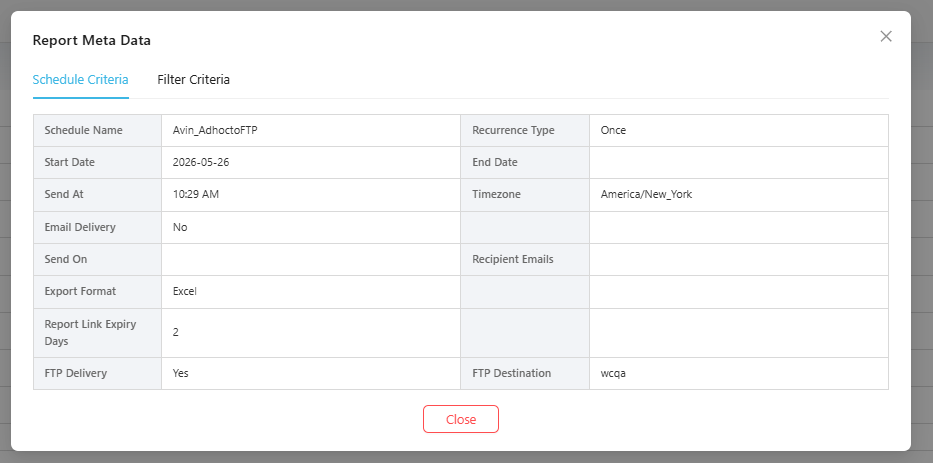
Preview Schedule/Filter criteria
-
-
Download:
-
You can export the recent report from the schedule, directly to your local/desktop.
-
-
Delete:
-
You can delete a schedule.
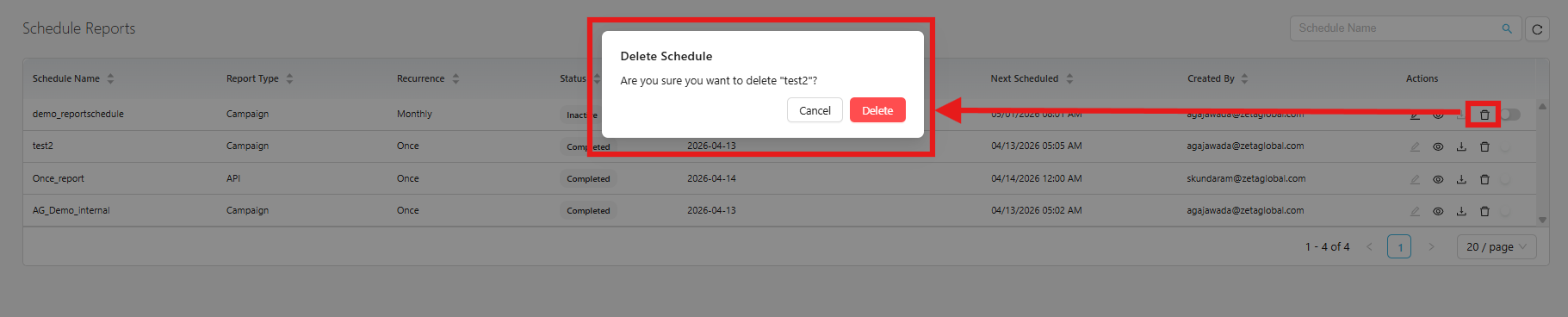
Delete a Schedule.
-
-
Toggle:
-
You can deactivate an active schedule.
-
You can activate or deactivate a schedule if its end date is a future date.
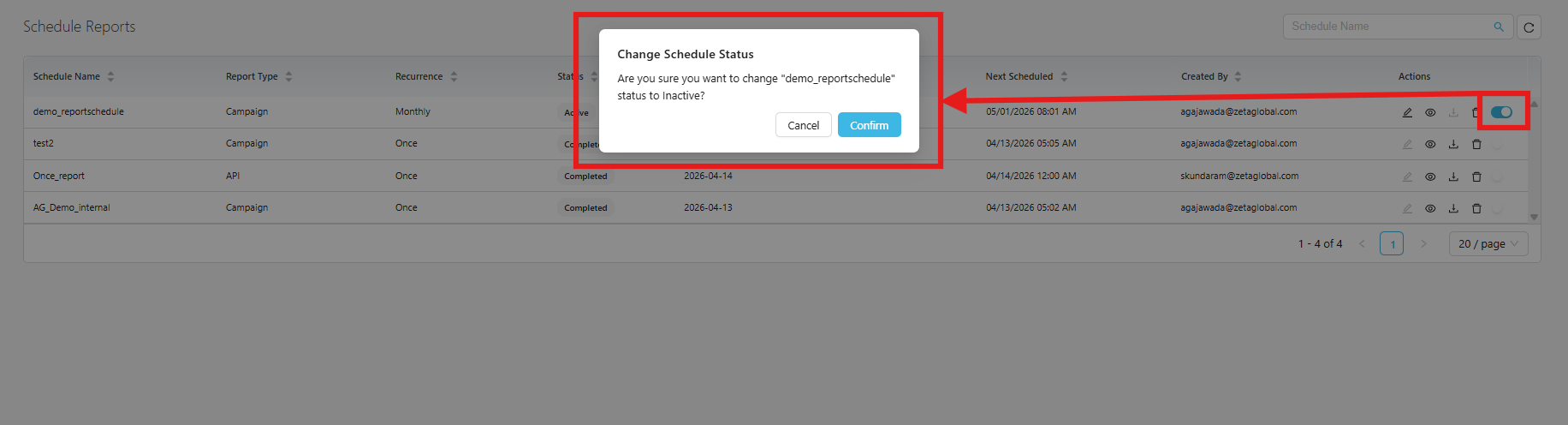
Deactivate a schedule.
-
-