
This page brings the quick glance of automated email interactions detected across campaigns. It helps to distinguish genuine recipient engagement from bot-generated activity, enabling more accurate reporting and better campaign analysis.
The report is available in two views:
-
Realm Summary for an overall account-level perspective and
-
By Campaign for campaign-specific insights.
1. Realm Summary
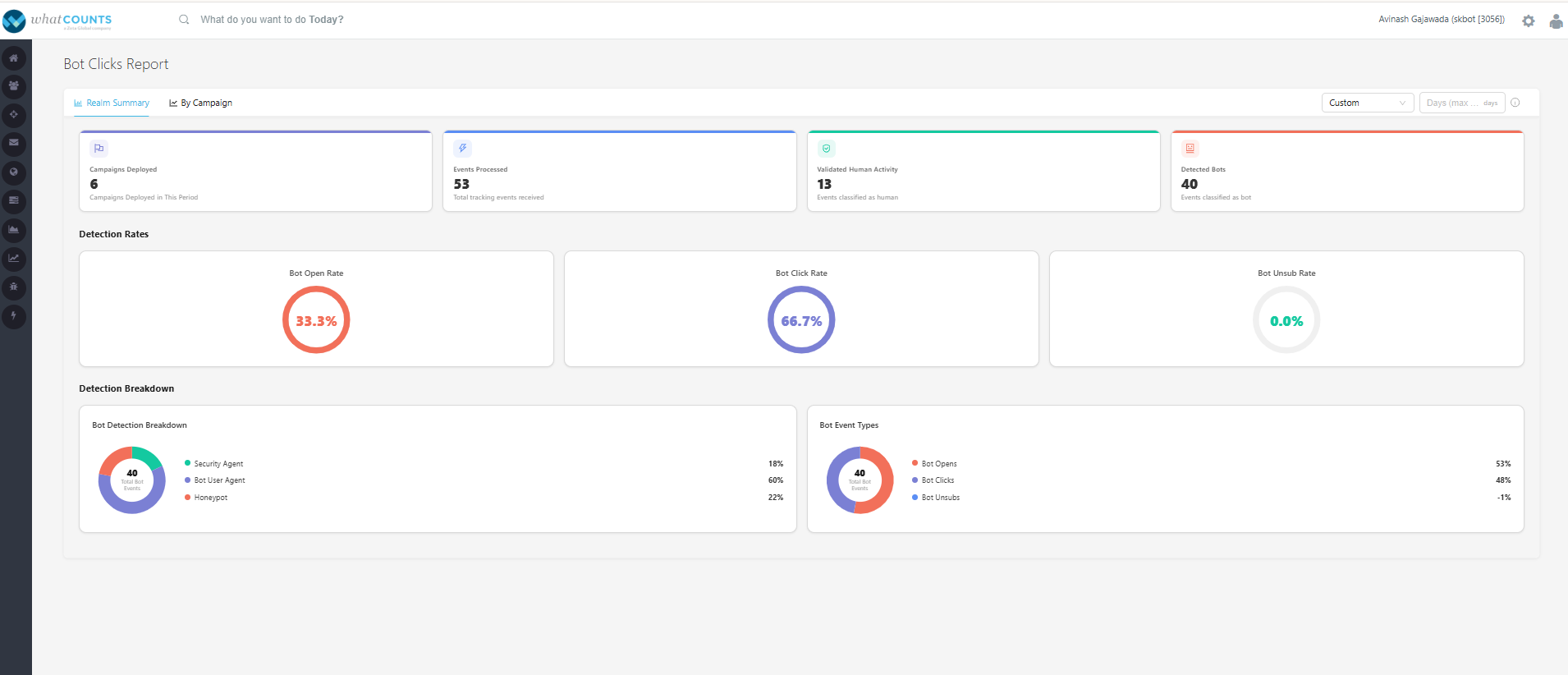
The Realm Summary dashboard provides an aggregated view of bot detection metrics across all campaigns for the selected time period, default Last 7 days.
You are allowed to select, Today or Tomorrow or Last 30 days or custom range up to last 90 days.
Summary Cards
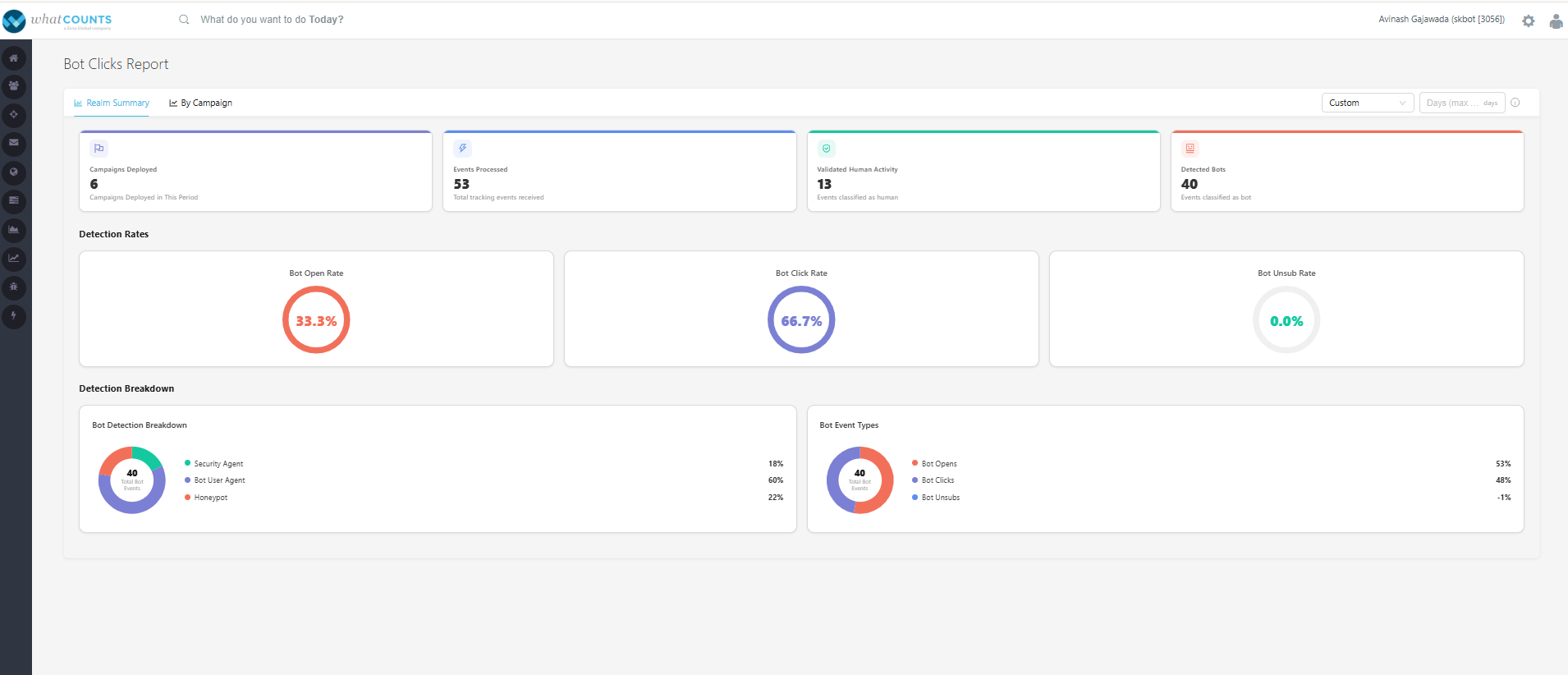
The top section displays key metrics at a glance:
-
Campaigns Deployed – Total number of campaigns sent during the selected period.
-
Events Processed – Total tracking events tracked and processed, includes humans and bots.
-
Validated Human Activity – Number of events classified as genuine recipient interactions, human activity.
-
Detected Bots – Number of events identified, classified as bot activity.
Detection Rates
Quick visual indicators show the percentage of automated activity detected across different event types:
-
Bot Open Rate – Percentage of email opens identified as bot.
-
Formulae - (Total Delivered/Unique Bot Open)*100
-
-
Bot Click Rate – Percentage of clicks classified as bot activity.
-
Formulae - (Total Delivered/Unique Bot Clicks)*100
-
-
Bot Unsubscribe Rate – Percentage of unsubscribe events generated by bots.
-
Formulae - (Total Delivered/Unique Bot Unsubs)*100
-
Detection Breakdown
Provides an overview of how bot activity was identified using the supported detection methods:
-
Honey Pot Detection
-
Security Agent Bad IP Detection
-
User Agent Detection
This helps understand which detection techniques contributed to identifying automated activity.
Bot Event Types
Displays the distribution percentage of detected bot events across different engagement actions:
-
Bot Opens
-
Bot Clicks
-
Bot Unsubscribes
This enables to identify where automated interactions are most prevalent.
2. By Campaign
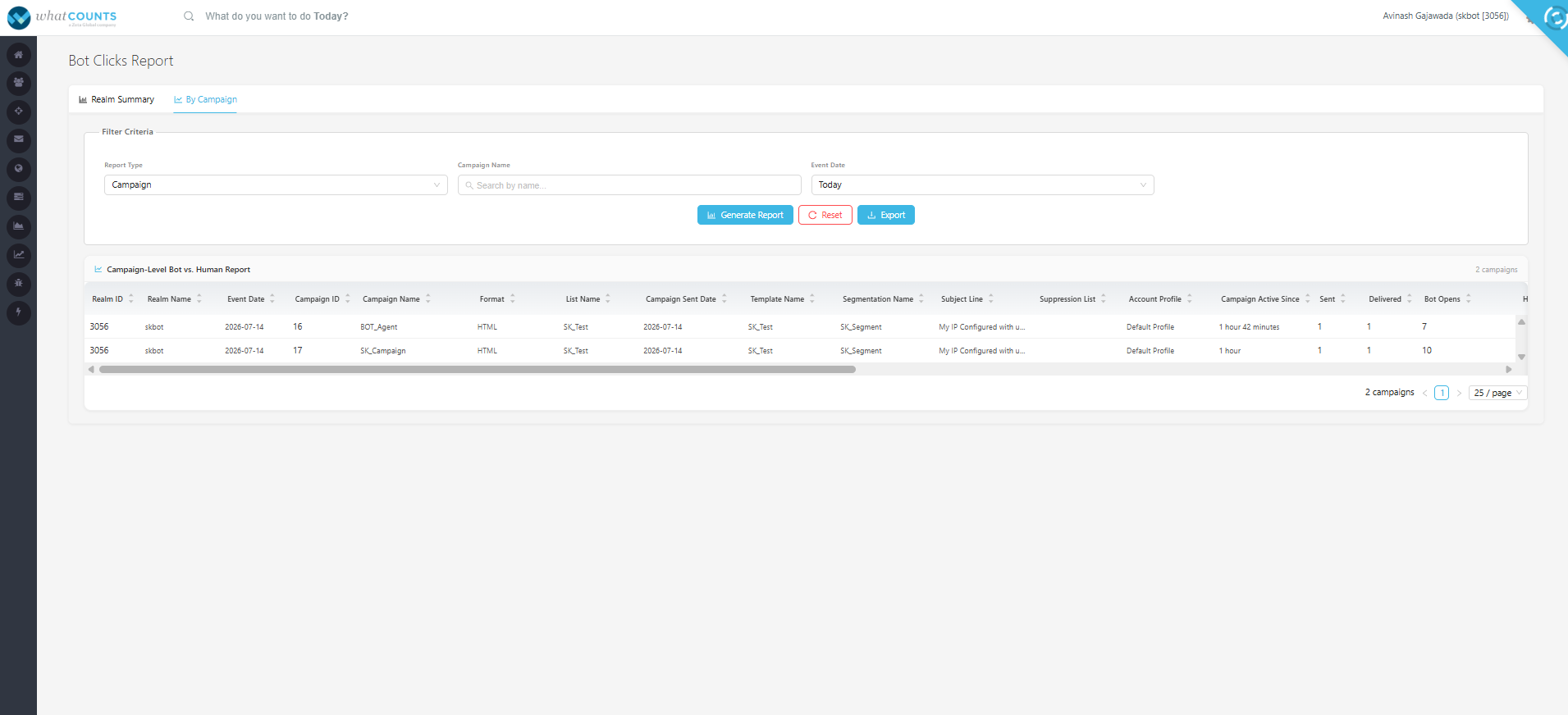
The By Campaign report provides a campaign-level breakdown of metrics, allowing to evaluate the impact of genuine human activity vs bot activity on individual campaigns.
-
Users can view the report type either of the following by selecting in the filter criteria.
-
Campaigns
-
Automations
-
API
-
-
Campaign/Automaton Search: Enter one or more campaign or automation names and fetch the reports of it.
-
Event Date: Select the required date range and fetch the report.
-
Generate Report: Click to generate and view the repot.
-
Reset: To reset the selected filter criteria
-
Export: Click to export the generated report.