
To update a publishing task, do the following:
-
Go to Tasks > Current Tasks
-
The Campaigns associated with your Realm will show a List Name after "Running List" and have "Pause" and "Delete" options in the 'Action' column
-
Select either PAUSE or DELETE next to the appropriate task

-
Make the necessary updates to the template
-
Go back to the Current Tasks screen and click “Resume”
-
You will then be prompted on how you would like to proceed and you will be given the following options:
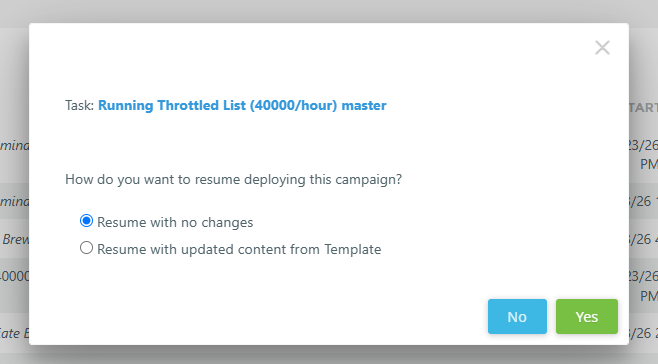
If you select the “Resume with updated content from Template” option, the template content for the campaign will be refreshed with the content in the template.
NOTE:
-
Publishing happens very quickly. Some (or all) messages may be sent before you are able to Delete or Pause the task.
-
This will only affect emails which have not yet been sent out.